DocsDevelopersMCP server
MCP server
Let Claude, ChatGPT, Codex or any other AI assistant work on your event with you — ask for what you want in chat, and it uses Trackstage on your behalf.
Connect your AI assistant
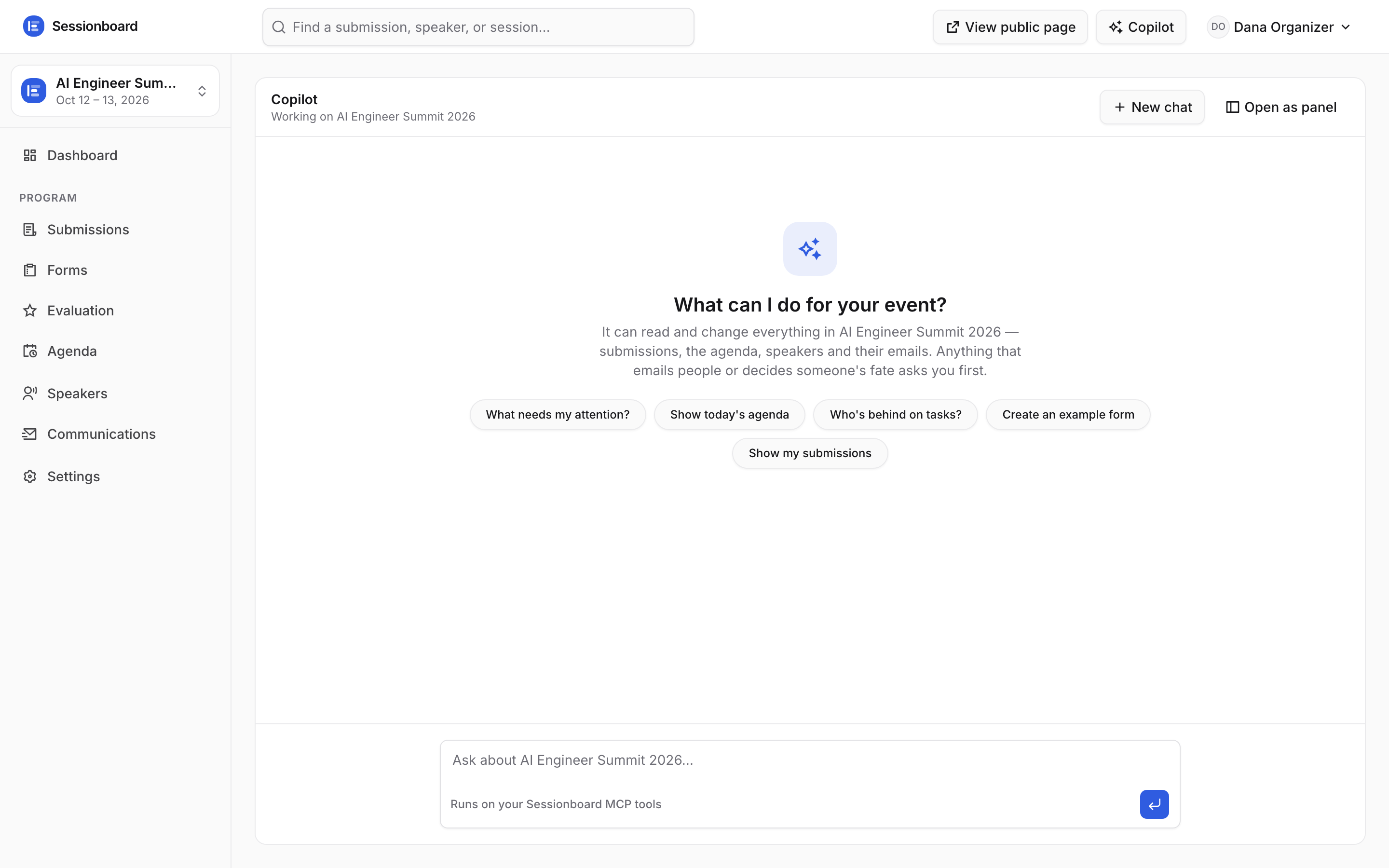
Do it from inside the app: open the Copilot screen (in your event’s sidebar) and click Connect MCP in the top-right corner. It walks you through a one-click connection for Claude, ChatGPT, Codex and other assistants — with the right link and the right steps for each one, so there is nothing to get wrong.
Or add it yourself
Every assistant asks for the same thing — one address. This is it:
https://api.trackstage.app/mcpIn Claude or ChatGPT: Settings → Connectors → add a custom connector, paste the address, and sign in with your Trackstage account when your browser opens. Nothing else to fill in — no key, no config file.
Assistants that run in a terminal (Claude Code, Codex, Cursor) want the same address plus an API key instead of the browser sign-in. Create one under Account settings → API & MCP, then use Connect MCP on the Copilot screen — it prints the exact command or config for the assistant you pick, with your address already filled in.
Say this first
- “Summarise my event.”
- “Show me everything in the accept queue.”
- “Auto-fill the agenda.”
- “Which speakers still owe me slides?”
- “Send a reminder to speakers with open tasks.”
All 85 tools
Everything an assistant can do in Trackstage, in one list.
Workspaces & events
whoamiReturns the Trackstage account this connection is authenticated as — name, email, and the workspaces it belongs to with its role in each.
list_workspacesLists every Trackstage workspace (organization) you belong to, your role in each (owner/admin/member), and how many events each one holds.
list_eventsLists every event you can access, across all your workspaces, with each event's id, slug, dates, venue and timezone.
create_eventCreates a new event in one of your workspaces.
Requires
name,confirmupdate_eventUpdates an event's details (name, dates, venue, timezone, type, description, website) and its speaker-portal toggles: alwaysShowTasks (tasks tab visible even when empty), allowSubmissionEdits (speakers may edit submitted talks), extendTaskDeadlines (overdue tasks stay completable).
Requires
event,confirmdelete_eventPermanently deletes an event and EVERYTHING belonging to it: every submission, speaker, CFP form, task, uploaded file, email template and outbox row.
Requires
event,confirmName,confirmget_event_overviewDEPRECATED ALIAS of get_event_summary, kept so existing scripts keep working; it returns exactly the same payload.
Requires
eventget_event_summaryTHE status call, and the one that used to be split in two (it absorbed get_event_overview).
Requires
eventlist_workspace_membersLists everyone in a workspace: email, role (owner/admin/member), whether they've accepted their invite, and their event scope (null means every event).
invite_workspace_memberInvites a teammate to the workspace by email — they get an invite email and their access starts the moment they sign up with that address.
Requires
email,role,confirmupdate_workspaceRenames a workspace and/or changes its address (the first segment of every app and public link).
Requires
confirmupdate_workspace_memberChanges a workspace member's role (owner only) and/or their event scope (admin+; pass an empty eventRefs array to give them every event again).
Requires
memberId,confirmremove_workspace_memberRemoves a member from the workspace — their access ends immediately.
Requires
memberId,confirm
CFP forms
list_formsLists the call-for-papers forms on an event with their open/closed status, close date, public submission URL, and how many submissions and drafts each has collected.
Requires
eventget_formReturns a form in full: every question (type, required/enabled, options, conditional showIf rules, which one routes to tracks), the participant configuration, and the submission settings.
Requires
formcreate_formCreates a new call-for-papers form on an event, pre-filled with the standard question set (title, description, format, track, level, language, tags) and speaker fields.
Requires
event,name,confirmupdate_formEdits the parts of a CFP form that update_form_settings doesn't: the public title, page heading and welcome message, the addresses notified on each submission, and the participant rules (speaker min/max, chairperson/moderator roles, confirmation email).
Requires
form,confirmupdate_form_settingsOpens or closes a CFP form, sets or clears its close date, and updates submission settings (per-user limit, drafts allowed, reminder emails, success message).
Requires
form,confirmmanage_form_questionEdits the questions on the event's CFP forms — the same custom-field model the form builder uses.
Requires
event,action,confirmget_public_form_linkReturns the shareable public submission URL for a form and whether it is currently accepting submissions.
Requires
formdelete_formPermanently deletes a call-for-papers form.
Requires
form,confirm
Submissions & decisions
list_submissionsLists submissions (abstracts and sessions) for an event, optionally filtered by status, track name, or a free-text search across titles, descriptions and speaker names/emails.
Requires
eventget_submissionReturns one submission in full: description, every form answer, participants with roles and emails, uploaded files with their approval state, and review scores (average plus evaluator comments).
Requires
submissionIdupdate_submissionEdits a submission's content and classification: title, description, format, level, language, tags, duration, its answers to custom form questions (answers merge — only the keys you pass change), track (pass a track id from list_field_options resource "tracks", or "" to clear), and publicVisible (false embargoes it from the public programme without touching its status).
Requires
submissionId,confirmset_submission_statusMoves a submission along the pipeline.
Requires
submissionId,status,confirmcommit_decision_queueCommits every submission staged in the accept or decline queue: flips them to accepted/declined and QUEUES REAL DECISION EMAILS to their speakers (accepted speakers also get their onboarding tasks created).
Requires
event,queue,confirmadd_manual_sessionAdds a programme item that never came through the CFP — a sponsor slot, keynote, break or invited talk.
Requires
event,title,confirmdelete_submissionSoft-deletes a submission: it leaves every list, board and public page but sits in the trash and can be brought back with restore_submission.
Requires
submissionId,confirmlist_trashEverything soft-deleted on the event, newest deletion first, with the date it went.
Requires
eventrestore_submissionBrings a soft-deleted submission back from the trash with its status, participants and files intact.
Requires
event,submissionId,confirmadd_participantAttaches a person to a submission with a role (speaker, chairperson or moderator).
Requires
submissionId,speaker,confirmremove_participantDetaches a person from a submission's line-up.
Requires
submissionId,speaker,confirm
Agenda
get_agendaThe programme itself — WHICH session is in which room at what time.
Requires
eventschedule_sessionPlaces an accepted session in a room at a time.
Requires
submissionId,room,startsAt,confirmunschedule_sessionRemoves a session from its agenda slot and returns it to the unscheduled tray.
Requires
submissionId,confirmauto_place_sessionsGreedily fills the agenda with every accepted-but-unscheduled session, skipping any slot that would double-book a room or a speaker.
Requires
event,confirmset_agenda_publishedThe public go-live gate: published: true puts the accepted, scheduled programme on the event's public page (and its .ics feed and embeds); false takes it back down to "Schedule coming soon".
Requires
event,published,confirm
Speakers
list_speakersThe confirmed speaker roster: everyone attached to an accepted session, their sessions, their outstanding onboarding tasks with due dates, and what's still missing from their profile (bio, headshot, slides).
Requires
eventget_speaker_portal_linkReturns the private magic link that signs one speaker straight into their portal (no password).
Requires
event,speakeradd_speakerAdds a person to the event by hand — a keynote you invited, a panelist someone emailed you about.
Requires
event,email,confirmupdate_speakerEdits a speaker's profile from the organizer side: name, job title, company, bio, pronouns, links, workflow status (invited/confirmed/dropped) and publicVisible (false hides them from every public surface — the embargo toggle).
Requires
event,speaker,confirmremove_speakerDeletes a person from the event along with their tasks, uploads and headshot.
Requires
event,speaker,confirmbulk_add_speakersImports up to 500 speakers in one call — the CSV-import path.
Requires
event,rows,confirm
Speaker tasks
list_tasksThe outstanding-tasks dashboard as a call: every task on the event with its speaker, kind, due date and completion state.
Requires
eventassign_taskAssigns an onboarding task to one or more speakers — it appears in their portal immediately.
Requires
event,speakers,title,confirmupdate_taskEdits one task: retitle it, rewrite its instructions, move its due date, or set completed: true/false to mark it done or reopen it (marking done is normally the speaker's job in the portal — do it here when they confirmed out-of-band).
Requires
event,taskId,confirmremove_taskDeletes one onboarding task, retracting it from that speaker's portal — the inverse of assign_task, for a task assigned by mistake or no longer needed.
Requires
taskId,confirmlist_task_libraryLists the event's reusable task library — the wording an organizer saved once and assigns all season, with each entry's id, title, kind and instructions.
Requires
eventsave_task_templateSaves a reusable task into the event's library (or updates it, matching on the title — saving twice edits the wording rather than creating a near-duplicate).
Requires
event,title,confirmassign_task_from_templateAssigns a task from the library to one or more speakers without retyping it — the saved wording is copied onto each speaker's task, so editing the library later never rewrites tasks already sent.
Requires
template,speakers,confirmdelete_task_templateRemoves a saved task from the event's reusable library.
Requires
template,confirmsend_remindersQueues a reminder email to every speaker with incomplete tasks, using the event's reminder template.
Requires
event,confirm
Files & review
list_filesThe event's files library: everything speakers uploaded (and organizers filed for them), with version, approval status (pending / approved / changes_requested), review note, the speaker, and the session or task it belongs to.
Requires
eventreview_fileThe file review gate: sets a file to approved (public surfaces may expose it), changes_requested (the speaker's upload task reopens so they see it needs another pass — add a reviewNote saying what to fix), or back to pending.
Requires
fileId,approvalStatus,confirmdelete_filePermanently deletes one uploaded file — the row and the stored bytes.
Requires
fileId,confirm
list_templatesLists the event's email templates (accepted, declined, waitlisted, reminder, confirmation) with their subject, a 200-character body preview, and whether each has been customised or is still the built-in default.
Requires
eventget_templateReturns one email template in full — subject and complete body, and whether it is customised for this event or still the built-in default.
Requires
event,keyupdate_templateRewrites an email template's subject and/or body for this event.
Requires
event,key,confirmlist_outboxShows what Trackstage has emailed (or is about to email) for this event: recipient, subject, template, delivery status and any error.
Requires
eventsend_test_emailRenders a template with real event data and sends it to you (or an address you name) so you can proof it before it goes to speakers.
Requires
event,key,confirmcount_bulk_audienceCounts exactly who a bulk email would reach before anything is sent: audiences are all_speakers, accepted (everyone on an accepted session), incomplete_tasks (speakers with open tasks), or manual (the speakers you name).
Requires
event,audiencesend_bulk_emailSends a one-off email to an audience — "the venue changed", "here's your green-room time".
Requires
event,audience,subject,body,confirm
Evaluation
list_evaluation_plansLists the event's evaluation plans (review rounds): name, round number, status, blind flag, window, submission pool size, evaluator count and completion progress.
Requires
eventget_evaluation_planOne plan in full: its criteria (numeric with weights, select, text), the submission pool, every evaluator with their private review link and progress, and per-submission score tallies.
Requires
event,planIdcreate_evaluation_planCreates a review round: a name, a round number, scoring criteria (numeric 1–5 with optional weights, select with options, or free text — default is one unweighted 1–5 "Overall" score), the submission pool (omit submissionIds for every pending submission), an optional opens/due window, and blind: true to hide speaker identities from evaluators.
Requires
event,name,confirmupdate_evaluation_planEdits a plan: rename it, change the round number or window, replace the criteria or the submission pool, toggle blind, or set status "closed" / "open" to end or reopen the round.
Requires
event,planId,confirmdelete_evaluation_planPermanently deletes a plan together with its evaluators and every score they entered.
Requires
event,planId,confirmadd_evaluatorAdds a reviewer to a plan by email.
Requires
event,planId,email,confirmupdate_evaluatorHand-picks which submissions one evaluator reviews (they must be in the plan's pool).
Requires
event,evaluatorId,confirmrotate_evaluator_tokenIssues a fresh magic link for one evaluator and kills the old one instantly — the fix for a review link that was forwarded, leaked or pasted somewhere public.
Requires
evaluatorId,confirmremove_evaluatorRemoves an evaluator from their plan together with the scores they entered.
Requires
event,evaluatorId,confirmdistribute_evaluationsSplits a plan's submission pool evenly across its evaluators, round-robin, so each submission lands with exactly one reviewer.
Requires
planId,confirmremind_evaluatorsEmails every evaluator on a plan who still has outstanding reviews — each gets their own review link and their own outstanding count.
Requires
planId,confirmlist_evaluationsThe raw scorecard data behind every average: each evaluator × submission row with its per-criterion scores, comment, completion time — and recusals (declared conflicts of interest), which are excluded from averages.
Requires
event
Event setup
list_field_optionsReads the event's setup lists in one call: resource "rooms" or "tracks" (real records with ids), "tags", "formats", "levels" or "languages" (the option sets on the CFP form's questions, unioned with any value actually in use), or "statuses" (the submission pipeline, built-ins plus custom labels).
Requires
event,resourcemanage_roomManages the event's rooms: create (name + optional capacity), update (rename, change capacity or order), delete (refused while sessions are scheduled in it).
Requires
event,action,confirmmanage_trackManages the event's tracks — the colored single-select that drives routing and agenda columns.
Requires
event,action,confirmmanage_field_optionEdits the option sets behind the CFP form's dropdowns: tags, formats, levels, languages.
Requires
event,resource,action,confirmmanage_session_statusManages the event's status labels.
Requires
event,action,confirm
Webhooks & embeds
list_webhooksLists the workspace's webhook endpoints — URL, subscribed events, enabled state, delivery stats.
manage_webhookManages webhook endpoints: create (returns the whsec_… signing secret ONCE — relay it to the user immediately, it cannot be read again), update (URL, subscribed events, enabled), test (queues a signed webhook.test delivery), rotate (new secret, shown once), delete.
Requires
action,confirmlist_embedsLists the event's saved embed configurations — named widget setups (agenda, itinerary, sessions, speaker-gallery, speaker-list) an organizer reuses across their website.
Requires
eventsave_embedCreates a named embed configuration (or overwrites one by embedId): which widget, its delivery format (iframe, html, link, json, xml, ics), its branding and display options, and whether it is switched on.
Requires
event,name,widget,confirmdelete_embedDeletes a saved embed configuration.
Requires
embedId,confirm
Activity
list_activityThe event's audit trail, newest first: who changed what, when, with a one-line receipt.
Requires
event