Chase speakers
Give people a to-do list instead of an inbox thread, then remind everyone who is behind in one click.
Sending the acceptances put your first speaker on the Speakers page. It lists everyone on your program and what each of them still owes you.
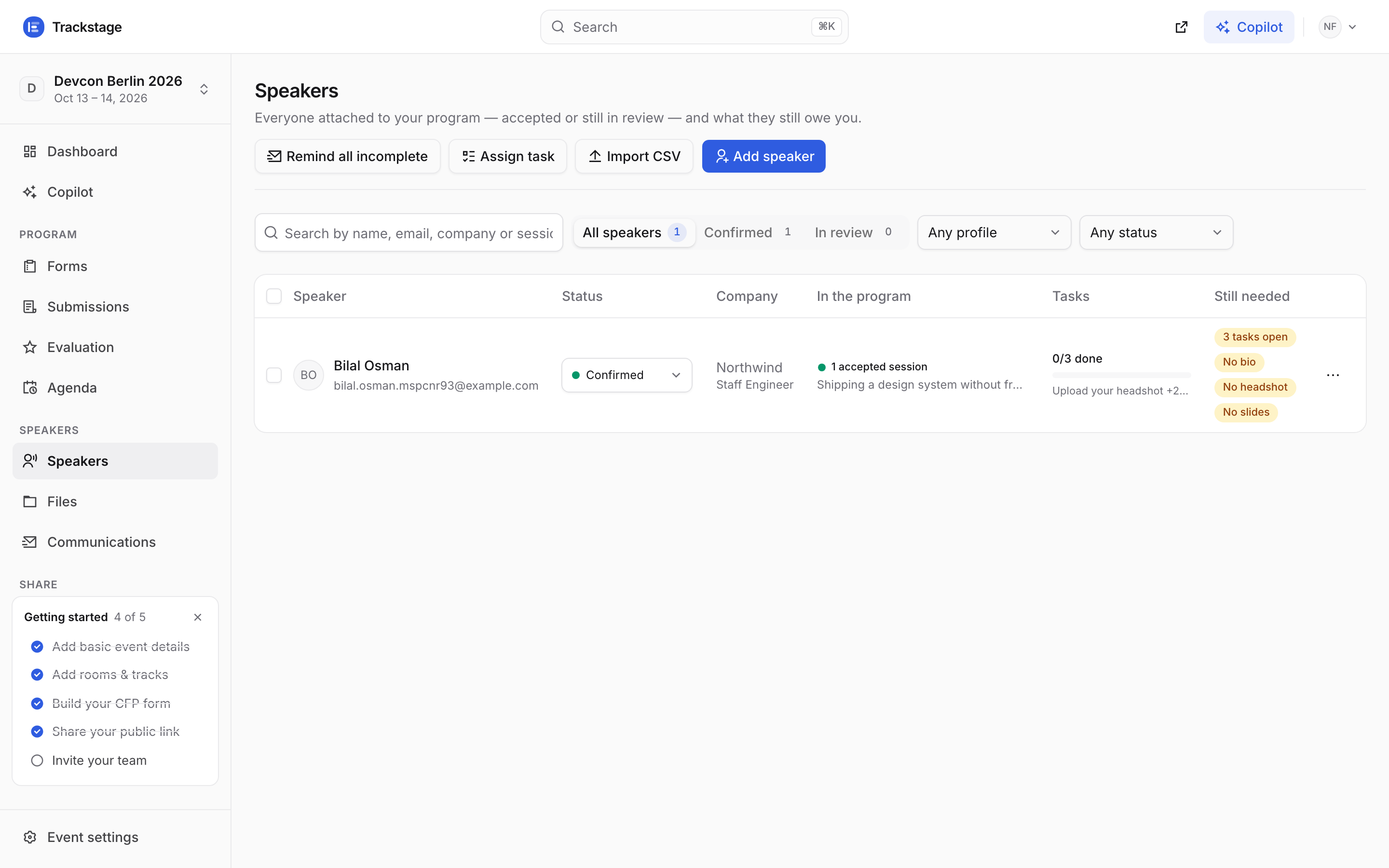
“Still needed” is the short version: no bio, no headshot, no slides. Speakers who never applied can be added by hand or imported from a CSV. Press “Assign task”, give it a title, and pick what the speaker actually has to do.
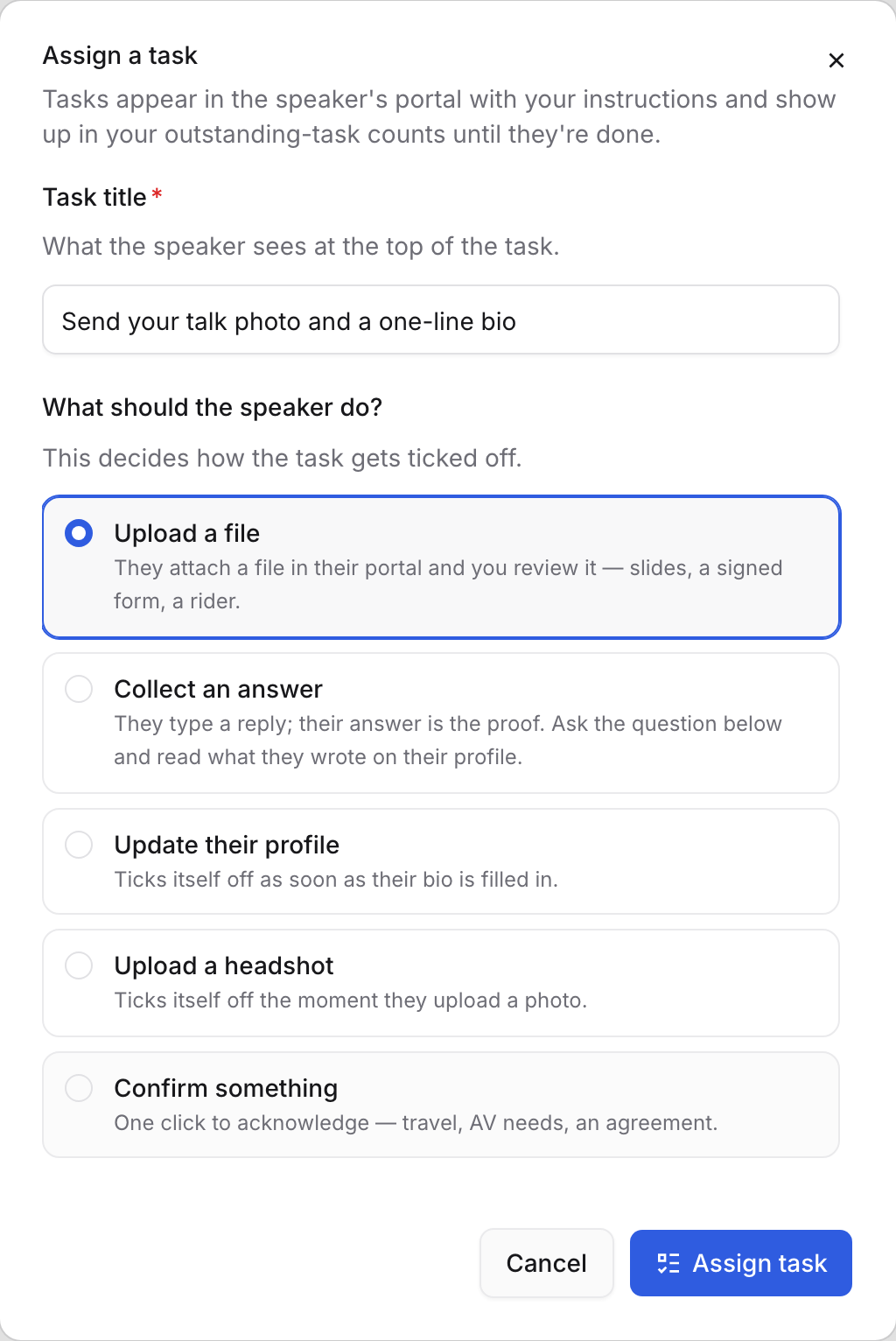
Five kinds: upload a file, collect an answer, update their profile, upload a headshot, confirm something. Each line says how that task gets ticked off. Instructions, a due date and the Assign to list follow underneath — tick everyone who needs to do this. Ticking rows in the table first pre-fills it: a bar slides in above the list saying how many speakers are selected, with Assign task right there in it.
It appears in their portal immediately, with your instructions and the due date.
Profile and headshot tasks tick themselves off the moment the speaker fills that field. Uploads and confirmations wait for them to act. See Speaker portal for their side of it.
Press “Remind all incomplete” to email everyone with an unfinished task — anyone reminded in the last day is skipped automatically.
Trackstage also sends a daily nudge for tasks coming due, so most of the chasing happens without you.
Files collects everything they send in — slides, headshots, signed forms — with the session it belongs to and whether you have approved it.
It sits right under Speakers in the sidebar, because it is their work. Open any file to preview it in place and approve or send it back with a note.
Communications is the record: the Templates tab is what gets sent, the Outbox tab is what was sent.
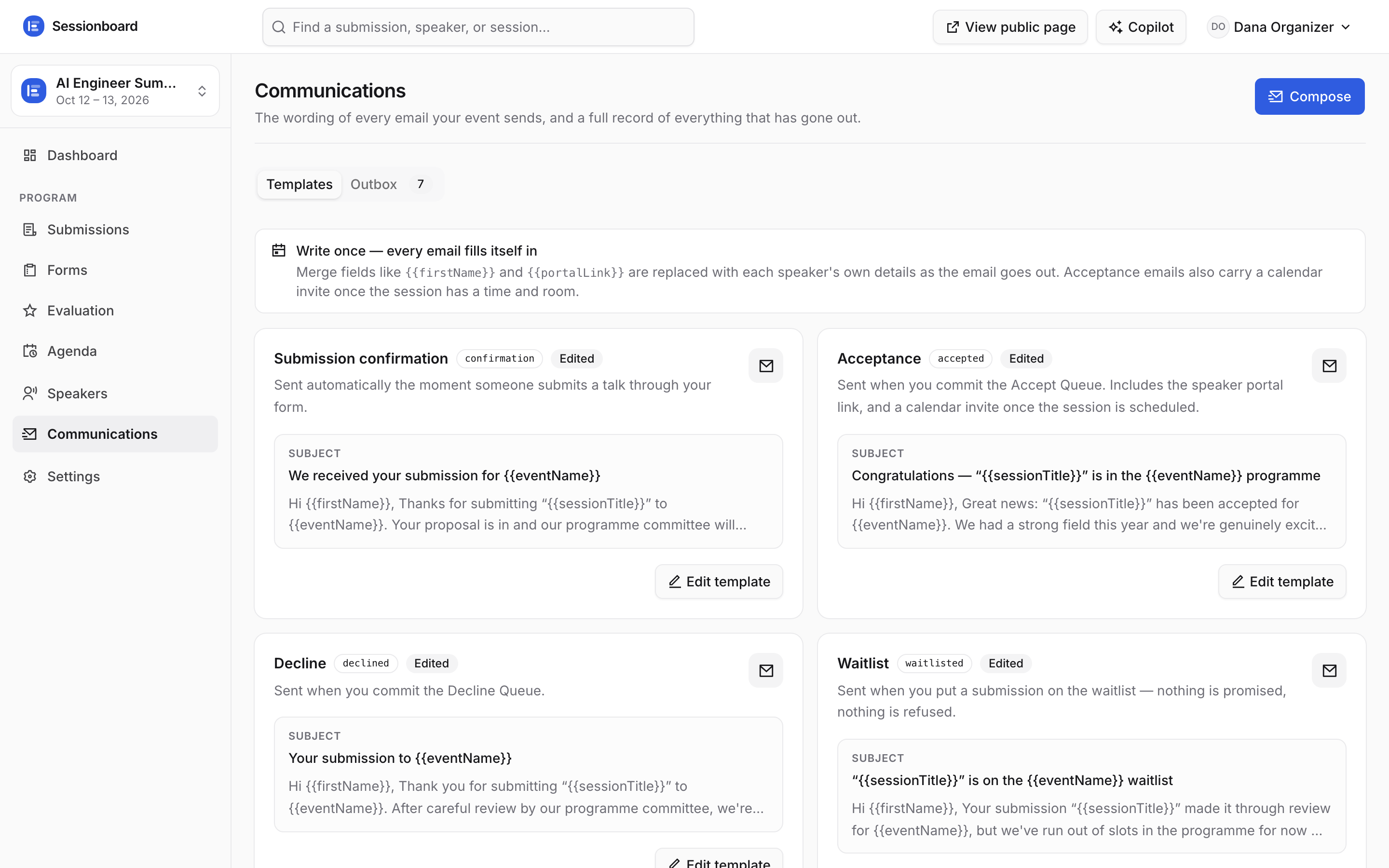
Confirmation, acceptance, decline, waitlist and reminder — edit the wording, keep the merge fields. “Compose” sends a one-off to speakers you pick.
RESEND_API_KEY is configured on the deployment.