Create your CFP form
The form speakers fill in. It arrives pre-filled with the questions most events ask, so this is mostly deleting.
Devcon Berlin has no forms yet. Open Forms in the sidebar and press “Create your first form”.
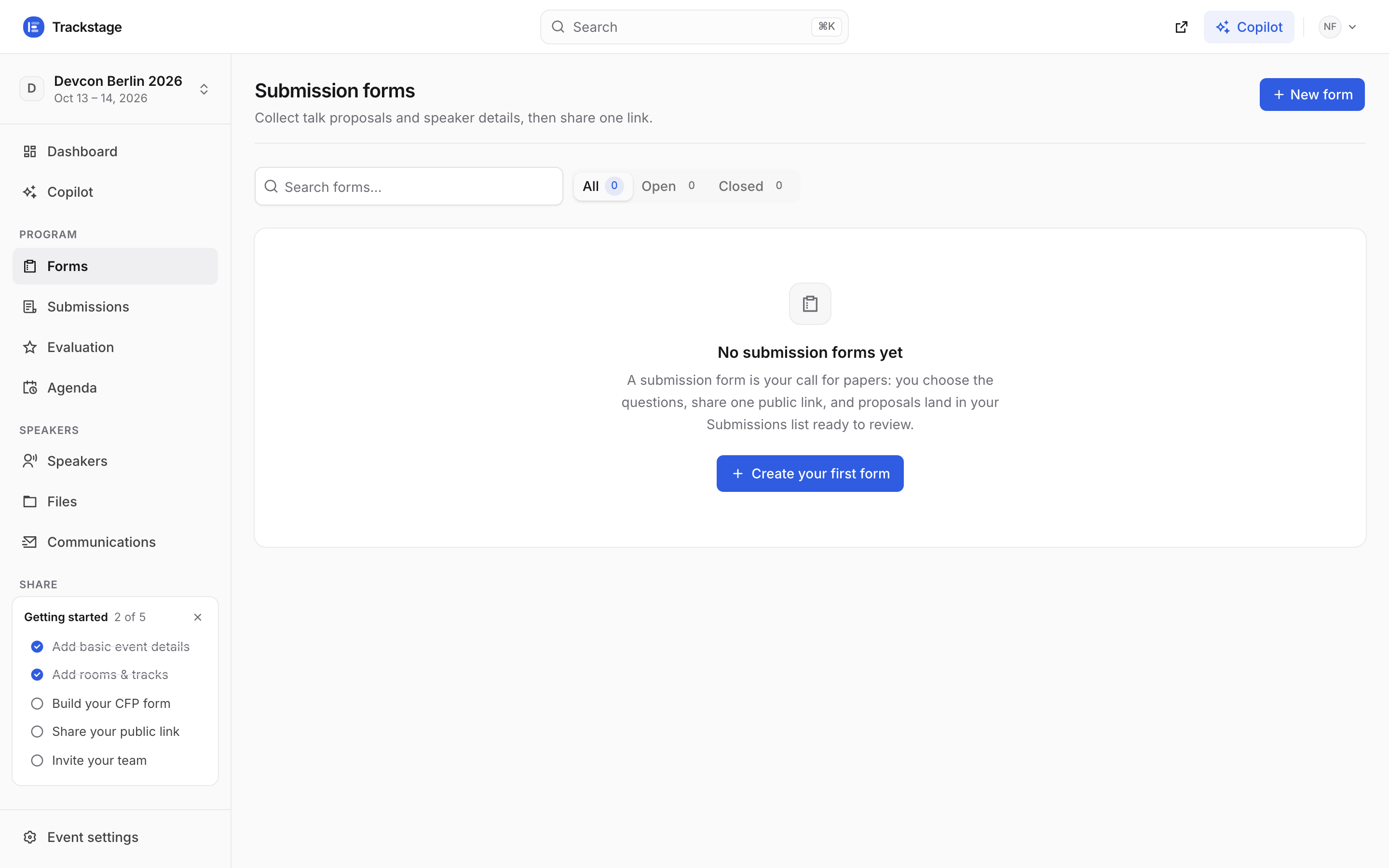
Forms is the first entry under PROGRAM — the sidebar runs in the order the work happens: Forms, Submissions, Evaluation, Agenda. A small dialog asks two things: what to call it, and what it collects.
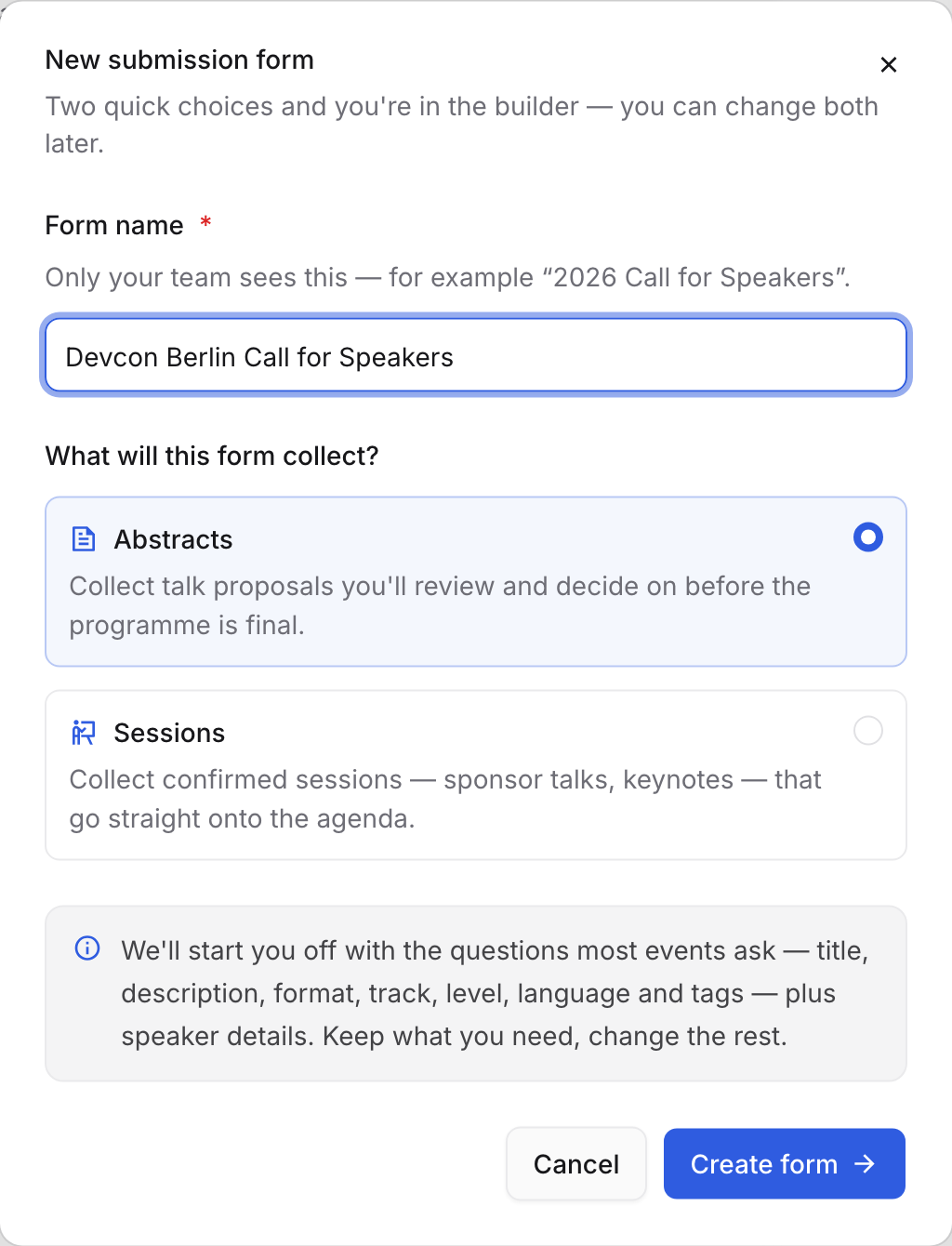
Proposals become Abstracts you decide on. Confirmed items go straight onto the programme. Both are changeable later. The name is internal — only your team sees it. What speakers read is the welcome screen, which you write in the next step.
“Create form” drops you into the builder: six steps down the left, one screen each.
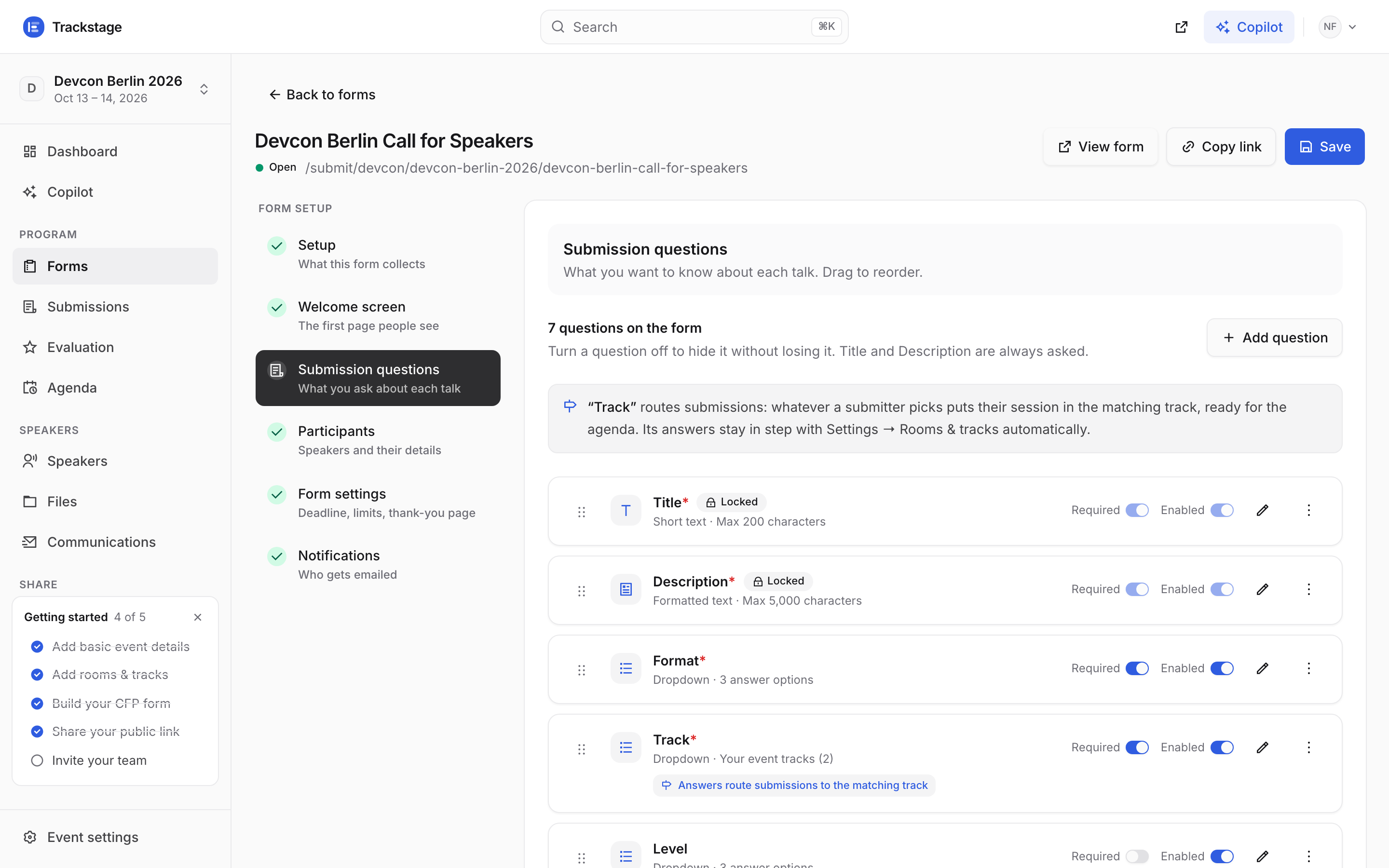
Setup · Welcome screen · Submission questions · Participants · Form settings · Notifications. Every question has an on/off switch and a required switch; drag to reorder. The Track question already lists the tracks you created in Settings, so submissions route themselves the moment a speaker picks one.
Open any single-select question to add a show-if rule as well, so it only appears when an earlier answer matches. That is how one form covers workshops and talks without asking everyone everything.
Participants decides who a submission is about: how many speakers are allowed, and which details you ask each of them for.
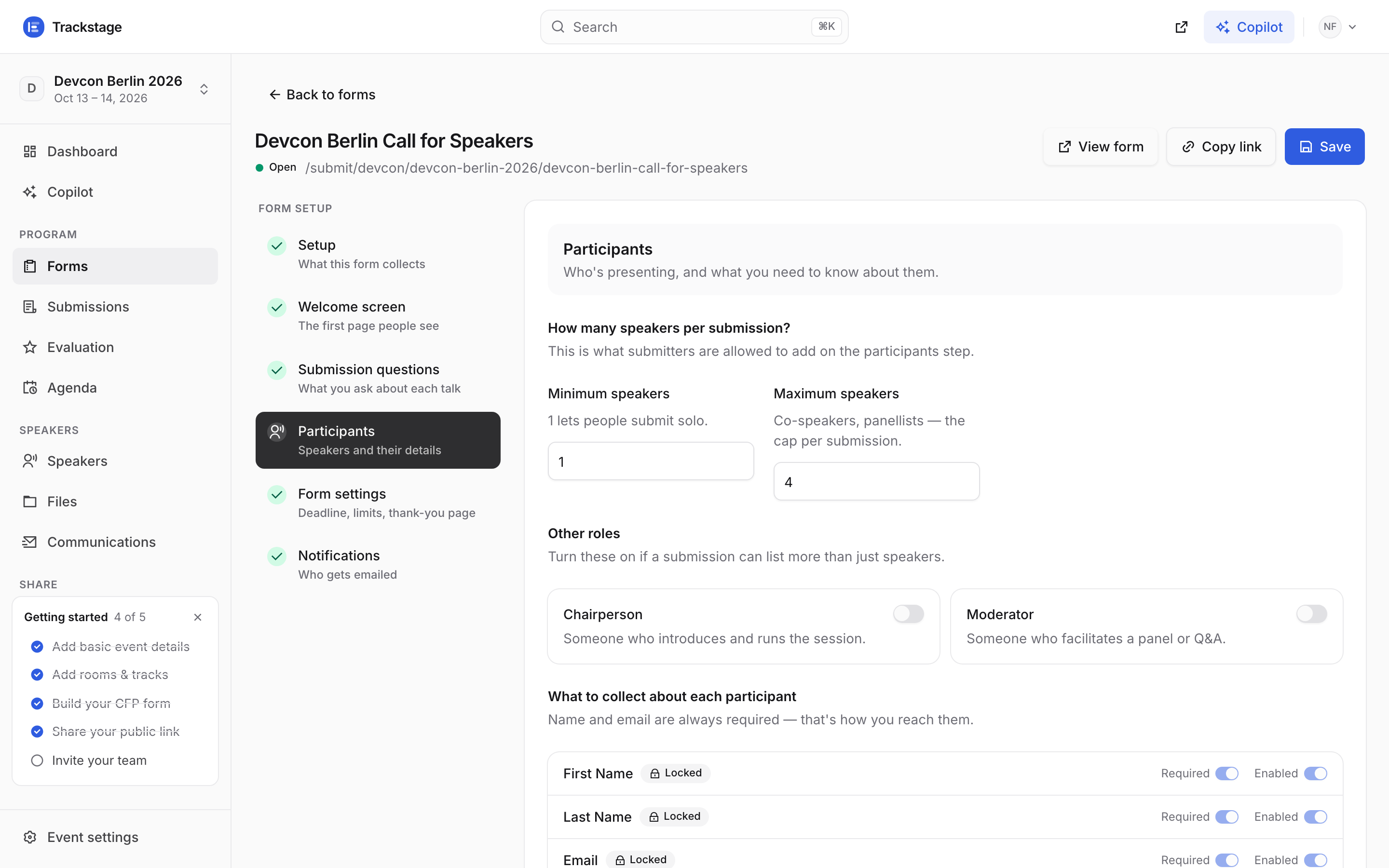
One speaker minimum by default — a co-speaker is optional, never forced. On Form settings, set the close date and how many proposals one person may send.
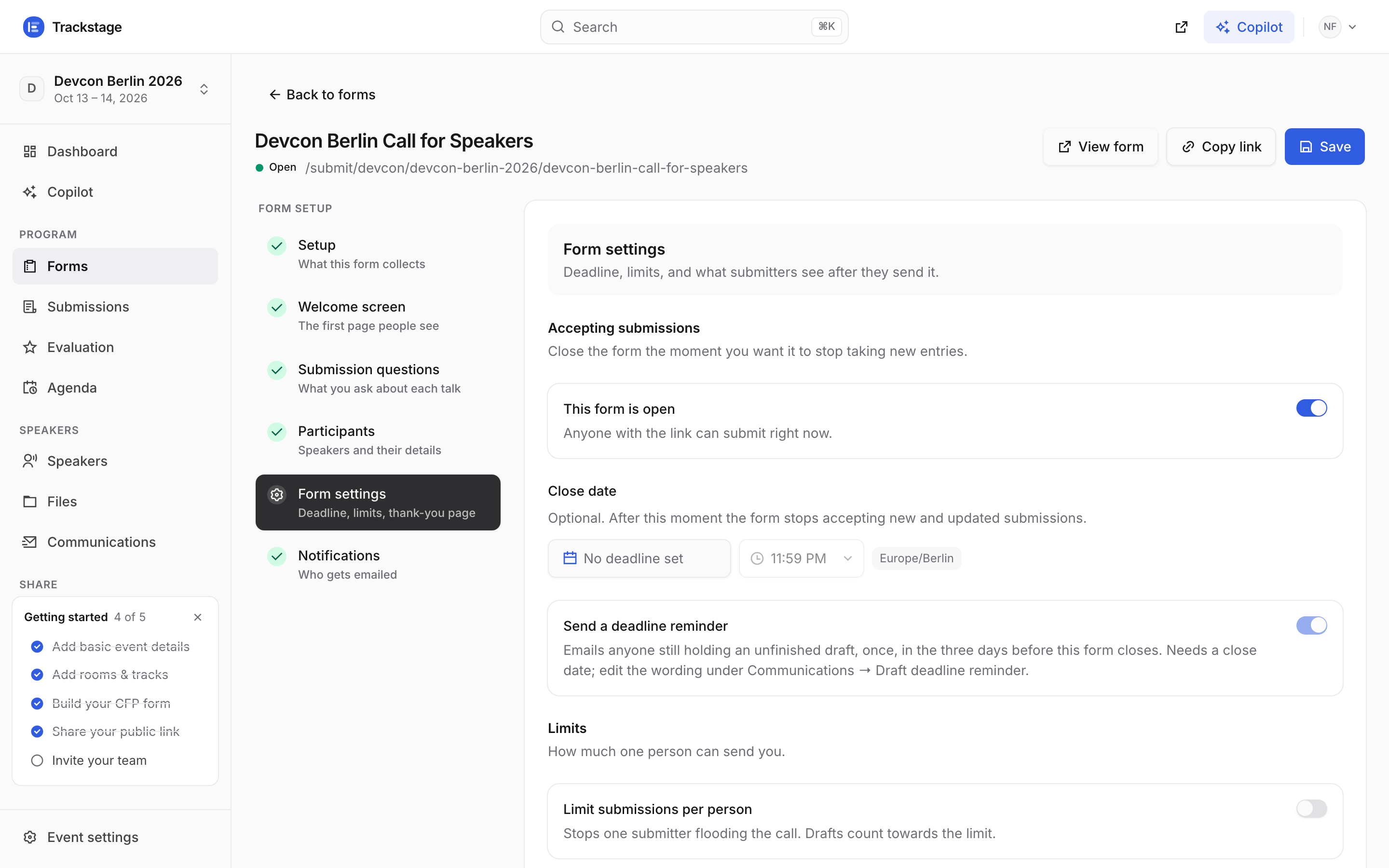
The builder saves as you go — the footer reads “All changes saved”, and there is a Save button for when you want to be certain.